Press kit
Warpstead: a freelance graphic designer, Claude Code, six months.
A canvas for Windows where apps, folders, files and utilities each find their place.
 Watch the 2-minute tour on YouTube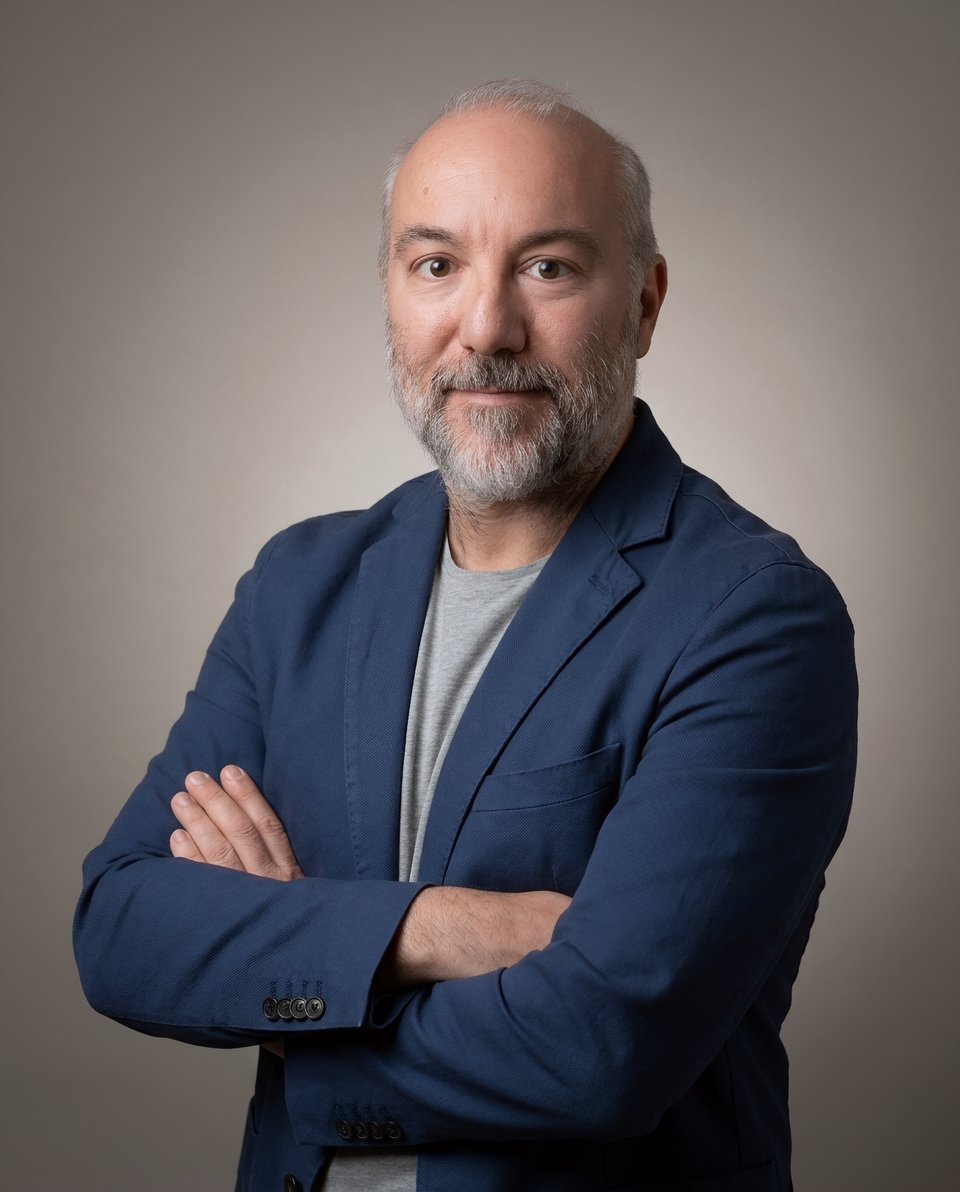
Roberto Cristoferoni
Freelance graphic designer in Italy since 2005
Roberto has been a graphic designer for twenty years, and for twenty years his screen has been full of programs: Photoshop, Illustrator, InDesign, Word, Excel, Affinity, ComfyUI, Chrome, Edge, Thunderbird. On an ordinary day they’re all open at once, and the work is a constant hop from one to the next: an image downloaded in the browser, text copied from Word into InDesign, an illustration reworked in Illustrator. Then there are the folders, and the daily fight to have the right ones at hand when he needs them.
There’s never enough room. And the work jumps between projects. Roberto is halfway through a brand identity when another client calls with a change, and he has to dig up that client’s folders and reopen the files one by one. Soon the folders and files of two projects are mixed up on the same screen.
Picking up a job he left days earlier means reopening the folders, hunting for the files, setting the workspace up again. Every time. What was missing was one place to find everything he had prepared for a project, exactly as he left it: the whole picture at a glance, the program he needs one gesture away, the right folders already open, the tools already set.
It was an interface problem.
I looked for something that would let me manage my workspaces better, but no software fully met my needs.
One Thursday evening
Roberto isn’t a programmer, but he has always known computers: he takes them apart, puts them back together, knows how every part works and how far it can go. He follows technology closely and, like many people, watched AI grow step by step; in the end he chose Claude for his everyday work, first in the chat, then with Claude Code. The terminal never scared him. Then came the first experiments, small programs for his own use. For jobs that size, writing code with Claude Code was disarmingly easy, and the results were good.
The project started on Thursday, April 16, 2026.
At 6:56 in the evening Roberto opened a conversation with Claude and described his idea (in Italian, translated here):
Hi. You know the Windows interface? I’d like a fullscreen interface that sits on top of the Windows interface, to use when I work. In this interface I should have the programs I use at hand (e.g. the Adobe suite and Office), the folders of a specific job, file previews (e.g. PDF, JPG, etc.) and a local AI assistant (think of a light model that doesn’t weigh the computer down, but is capable) to help me with tasks and help me organize my work. What do you think? Do you get my vision, or should I explain my current workflow?
At 7:05 came a concrete example from a real job: a folder of photos to straighten, crop and restore in ComfyUI, then lay out in Affinity at 13×19 cm. And a precise request: as many workspaces like that as needed, one for each project.
At 7:16 Roberto set the requirement that still drives Warpstead today:
One thing you have to remember very well: everything must be light, responsive and fluid (the resources are needed for the work, and it has to run on most modern computers).
At 9:46 the first version was ready: “It works. It’s what I had in mind.” Two minutes later, at 9:48, the first change to the project was saved.
The first week flew by: eight versions in six days. Program windows inside the canvas, folders with their icons, PDFs you could leaf through. It looked easy.
I knew a simple prompt wasn’t enough for a large-scale project, but I didn’t expect how far I’d end up going.
Throwing it out and starting over
The heart of Warpstead is real programs, live on the canvas while you work in them. May was the hardest part. A first idea gave each program its own virtual desktop, the kind Windows opens with Win+Tab: the canvas showed its picture, and one click took you inside. But every program had its quirks. Excel grabbed the foreground as soon as it started, and Windows dragged Roberto onto Excel’s desktop; splash screens showed up on the wrong desktop. Every program needed its own fix, and after a week the fixes had become the project.
Another idea went through virtual screens: a driver added invisible monitors to Windows, one per program. It worked, but the whole computer slowed down (menus, scrolling, animations) even when those monitors showed nothing. The fault was chased one test after another, but it lived in the driver itself and couldn’t be fixed from outside. Two days after it went in, the driver came out.
Even earlier, in April, there had been the taskbar previews: a built-in Windows feature that worked with every program, until a YouTube video turned into a black rectangle.
Each time, Claude could explain why it didn’t work, and each time it was Roberto’s call to drop it and change course. In June it came to throwing out the foundations of the app itself. Until then Warpstead’s interface was drawn by the web engine Microsoft builds into Windows, which wasn’t suited to the job: program windows couldn’t sit under the canvas, and when a note landed on top of one, the window disappeared. On June 12 a test showed it could be done with a different engine, and by June 17, five days later, Warpstead was already running on it. That opened the way to a compositor written from scratch: Warpstead itself puts the final image together, programs underneath and the canvas on top, all on the graphics card.
I soon realized the strategy was to work closely together. I gave the ideas, thought about how and what to do, watched, tried, corrected. Claude took my requests and wrote code.
The person who designed and built Warpstead is also the person who uses it. Roberto spends his days on Windows with ten programs open, and he tried every choice that same evening on his own work: if something didn’t work, he saw it at the first click and it got redone. Behind every feature there’s a real need he ran into while working. That’s why Warpstead is an interface cut to fit people who use a computer for a living.
Saturdays, at midnight
The project grew in the gaps clients left. Saturday is the day with the most changes saved, midnight the hour with the most, and 273 were saved between eleven at night and six in the morning.
In July came instant search: files appear as you type their name. Then, from July 22, a five-week break, because clients and personal commitments came first. When work resumed on August 29, a new Claude model was already writing the code, the fourth since April. There have been five in six months: Opus 4.7 from day one, Opus 4.8 from late May, Fable 5 from June, Opus 5 from the day work resumed and Opus 5.5 from late September. What carries the thread from one to the next are the project notes: every mistake and every decision is written down with its reason, and Claude reads them again before it starts. Today there are 374.
Toward the Store
September was the busiest month, with 525 changes. On the 8th the project took the name Warpstead: the warp is the set of threads held taut on a loom, and a stead is a place.
The same month the Image node, the tile that shows a photo on the canvas and until then only gave a preview, became a retouching tool. The idea was Roberto’s: do everyday corrections without opening a photo editor. On the canvas you now adjust light and color with sliders that respond instantly (exposure, contrast, shadows, temperature, saturation and the rest), with a histogram, a curve, an eyedropper for white balance and a warning when highlights blow out or shadows block up. The node recognizes the lens and corrects vignetting and color fringing, crops to the common ratios, rotates and flips. It opens RAW files too, and the same adjustment passes to other photos when you connect them with a wire.
October 3 was the record day: 109 changes, from 7:23 in the morning to 11:30 at night. Video editing on the canvas was born that day, from the first clip to exporting the finished file. In the weeks after, it grew: clips line up on a timeline, with a monitor to play them back and the audio underneath, crossfades and titles; you cut at the playhead, change speed, freeze a frame, and the music dips when someone speaks. At the end the same edit exports in several formats at once, landscape, vertical and square for social, with the graphics card doing the work.
On October 7, at 6 p.m. Italian time, warpstead.com went online. Instead of the usual launch video, the site runs Warpstead’s real interface in the browser: it opens on a canvas that’s already set up, and visitors explore it on their own, zooming and moving between notes, folders and images. It’s a preview of the product built from the same code as the app. Only the part that talks to Windows is missing, because a browser can’t open real programs.
On October 16 the beta reached the Microsoft Store, free until November 30. And meanwhile the work doesn’t stop: every day there’s something to fix, something to tidy up and some new feature to build.
Six months, one thread a day
Each thread is a day, from April 16, 2026 to October 13, 2026. Its height is how many changes were saved that day, and the darker part at the bottom is the share that fixed or undid earlier work.
- Day one
- First automated workflows
- The new engine
- Instant file search
- Named Warpstead
- Preview opens online
A five-week break
- changes saved
- 1,336
- Claude models in six months
- 5
- fixes and rollbacks
- 436
Facts
- Maker
- Roberto Cristoferoni, Italy
- Runs on
- Windows 11, and Windows 10 version 1809 or later, 64-bit
- Availability
- Free beta on theMicrosoft Store until November 30, 2026
- After the beta
- Early access with a founder license at €49, paid once, for two PCs, with 12 months of updates (and in any case until version 1.0). From version 1.0 the price is €79. Outside Europe, $55 and $89. Everyone who tried the beta keeps the founder price.
- Built with
- Rust, the Chromium Embedded Framework and React, written with Claude Code
- Source
- Closed
- Facts as of
- October 13, 2026
Photos and logos
Free to use in coverage of Warpstead, no credit needed.
Download everything (ZIP, 2.7 MB)

Contact
In English or Italian. Roberto reads every message himself and can answer in writing or on a call.