Free
the whole beta, until version 1.0
100
free licenses for the first to register
Offline
search and AI run on your PC
Everything a job needs, side by side
A standard desktop stacks windows on top of each other. Whatever you are not looking at gets buried, and getting it back means digging through the taskbar. Warpstead lays the same things out on a surface you can step back from, like a large desk: everything keeps its place and its size, so you find things by looking for them instead of going through lists.
01New in 0.15
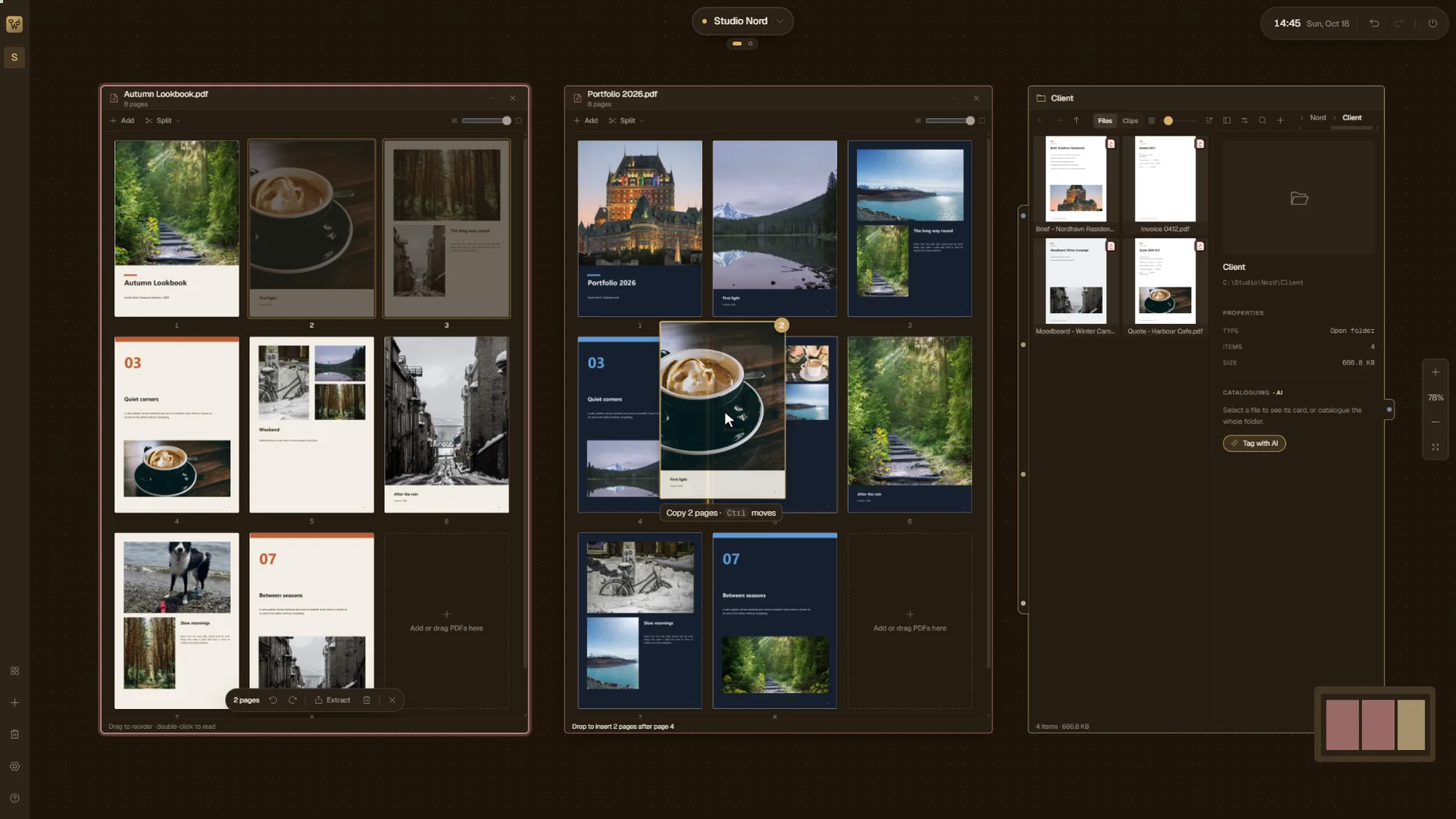
PDFs: merge, extract, split, print
A PDF opens on the canvas as a grid of pages. Drag pages from one PDF into another to merge them, or drop a file from a folder right between two pages. Extract makes a new PDF from the pages you select, and Split cuts a long file every 1, 2 or 4 pages, or wherever you click between two pages. The new files open next to the original, which stays as it is, and Ctrl+P prints the pages as you see them. Nothing goes through a website: the pages never leave your PC.
02New in 0.15
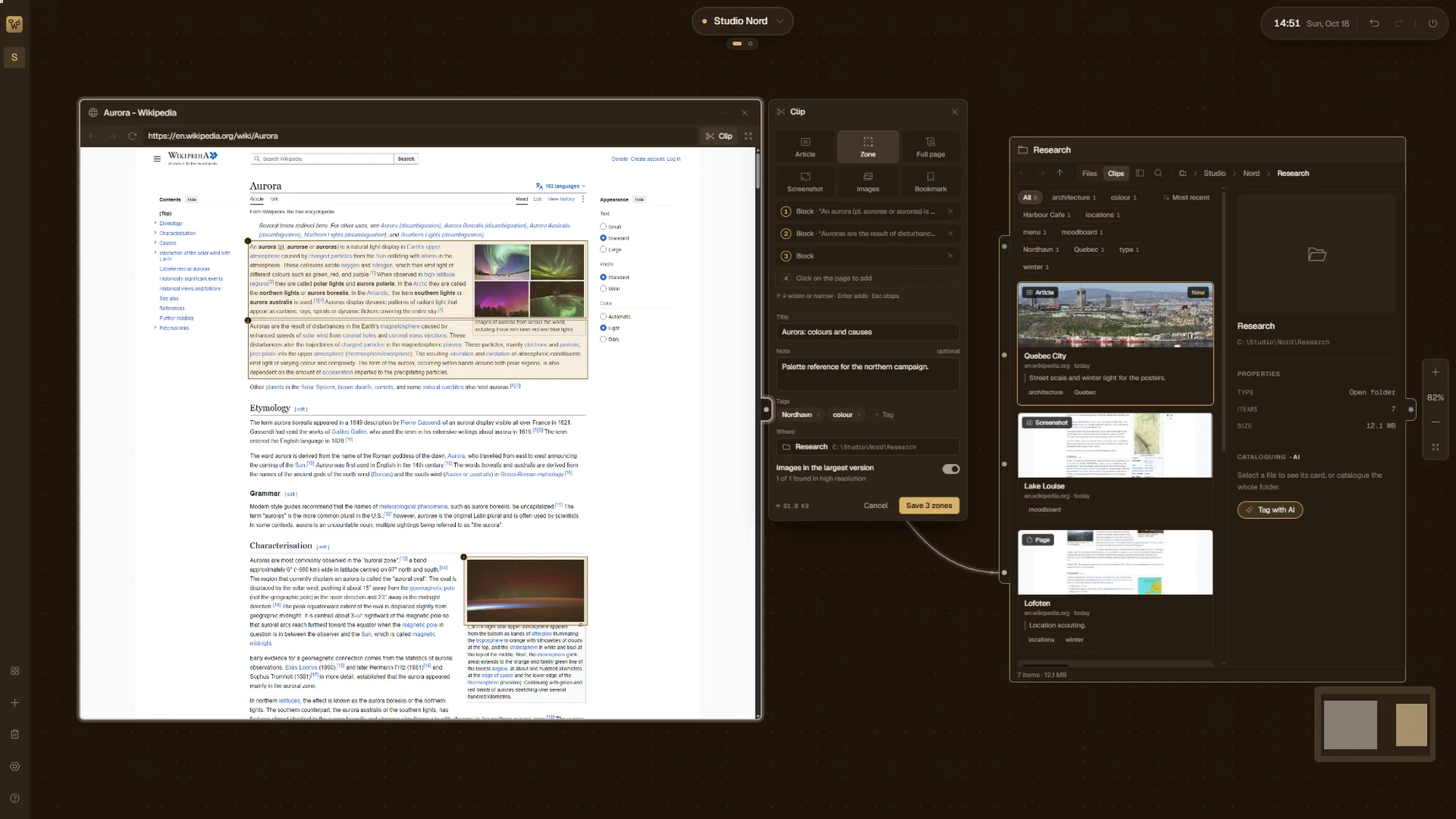
Clip what you read on the web
The Web node has a Clip panel. Keep the article, a zone you mark with the mouse, the selection, the whole page, a screenshot or just the images, with a note and tags. The clip keeps the site’s look and fonts and goes into a single .wsclip file in the folder you pick. A Folder’s Clips view shows them as cards you can search and filter by tag, and each clip exports to HTML, Markdown or PDF.
03
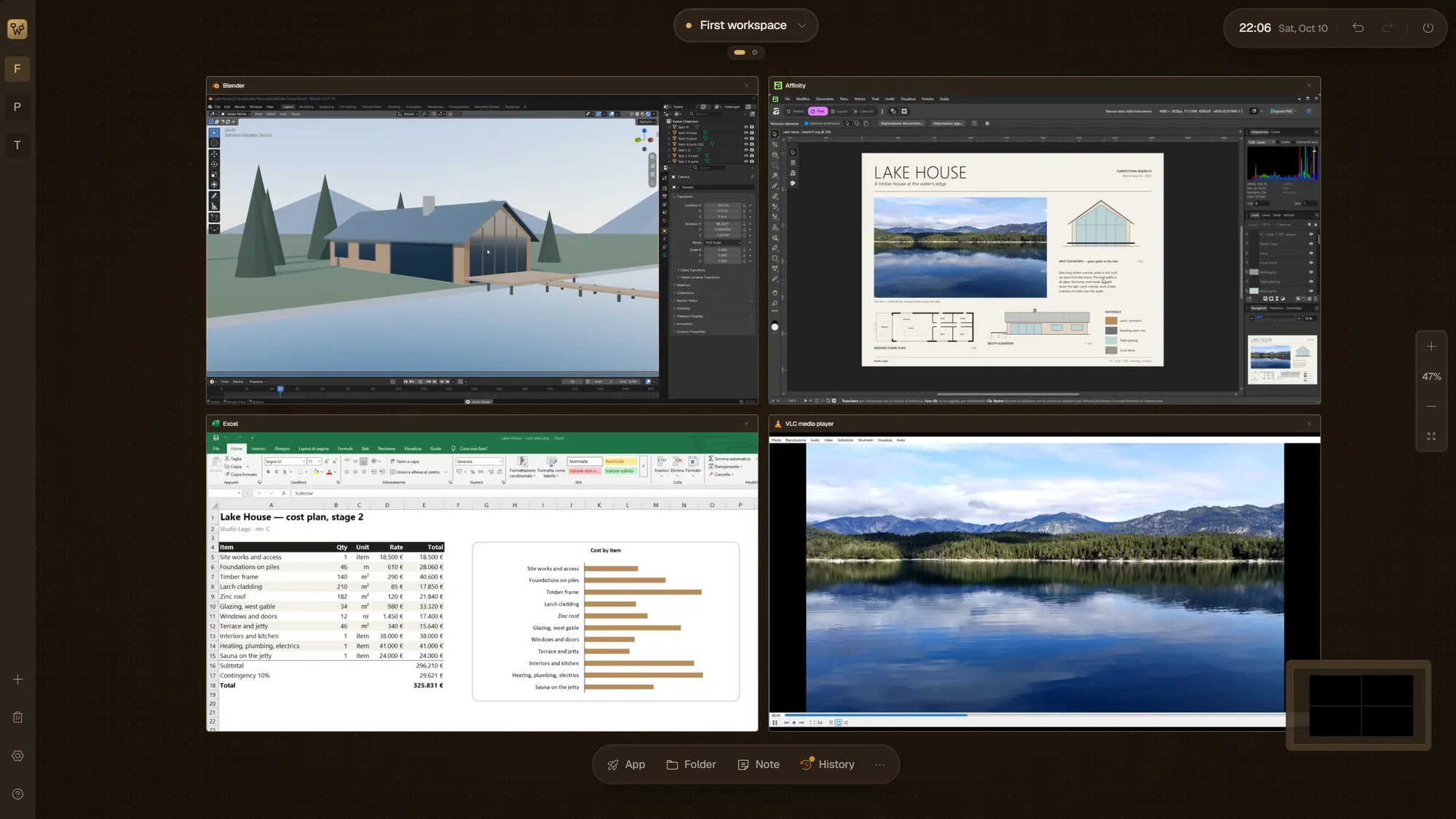
Your programs, live on the canvas
The applications you already use run as real, live windows placed on the canvas. Put the editor next to the folder it reads from, the browser next to the document it explains. Windows snapped together move as one. When a program needs all your attention, open its node fullscreen, and press Esc to come back to the canvas.
04
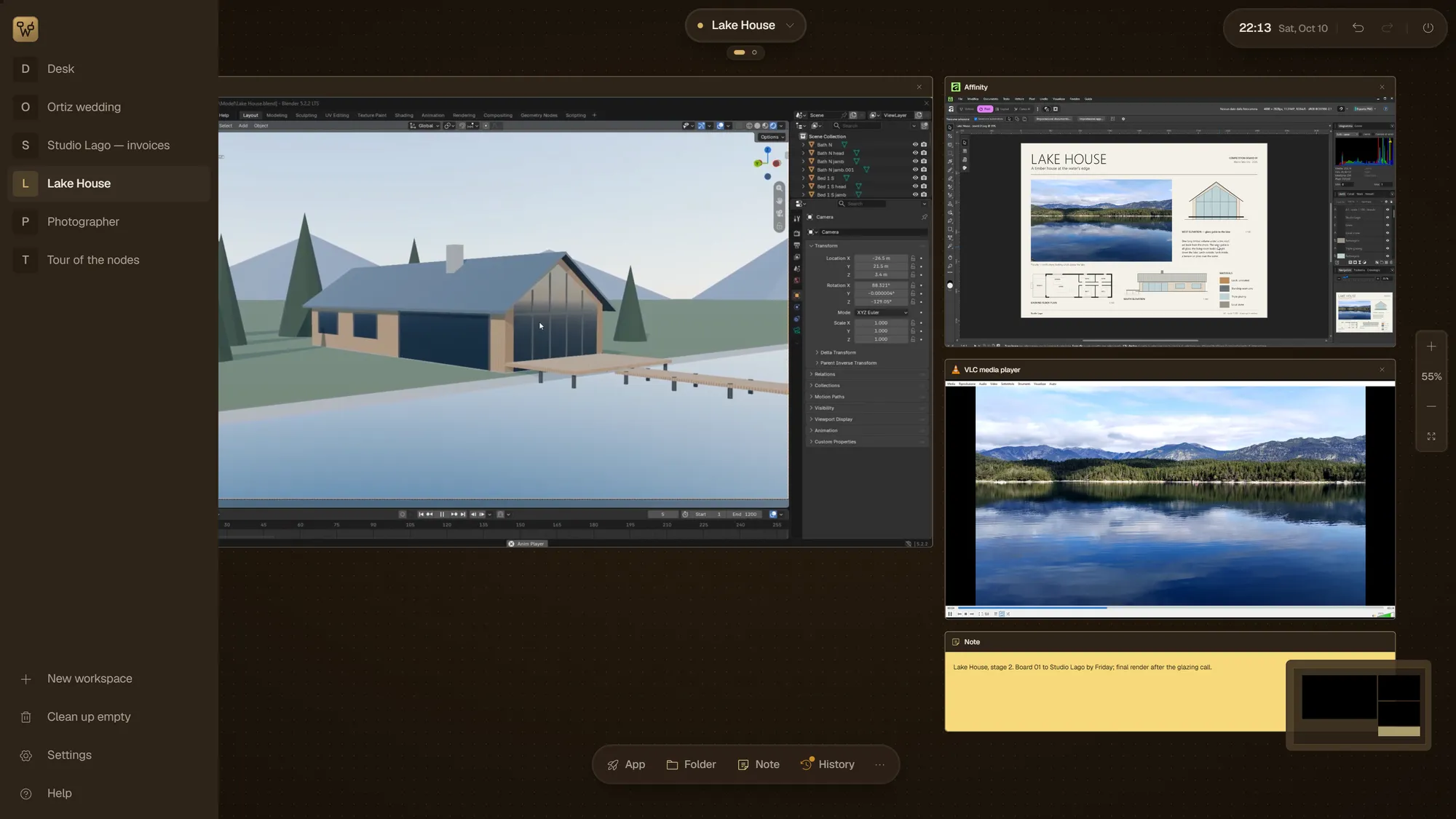
A workspace for every job
Each job gets its own workspace, with a name instead of a number. Switch from the photo shoot to the client project and the canvas changes with it: the programs, folders and notes of that job, where you left them.
05
Folders that do the filing
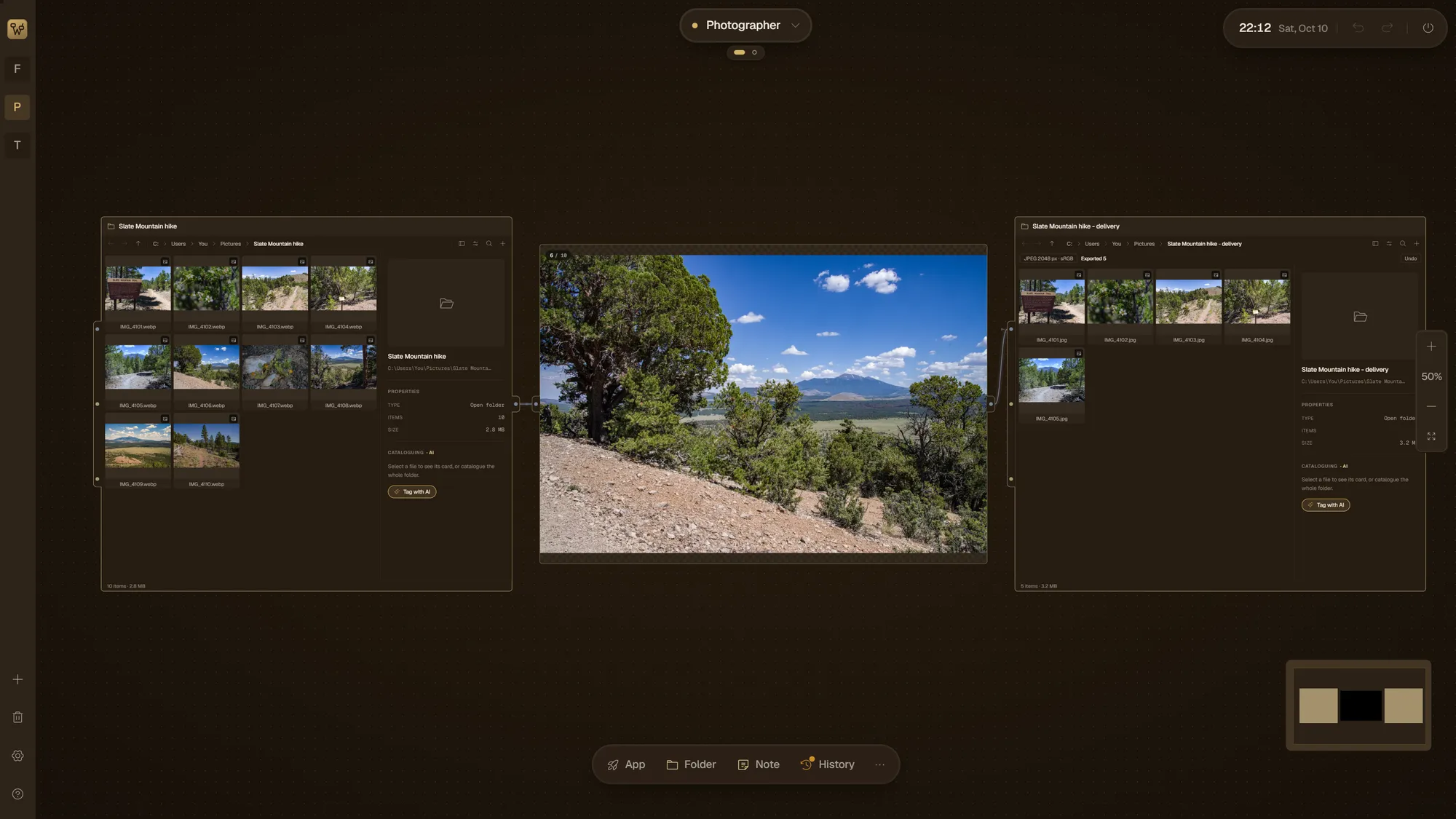
Folders and tools connect with links that carry files from one step to the next: filter, classify, rename, move. You see what will happen before anything moves, and every step can be undone afterwards.
06
Photos, start to finish
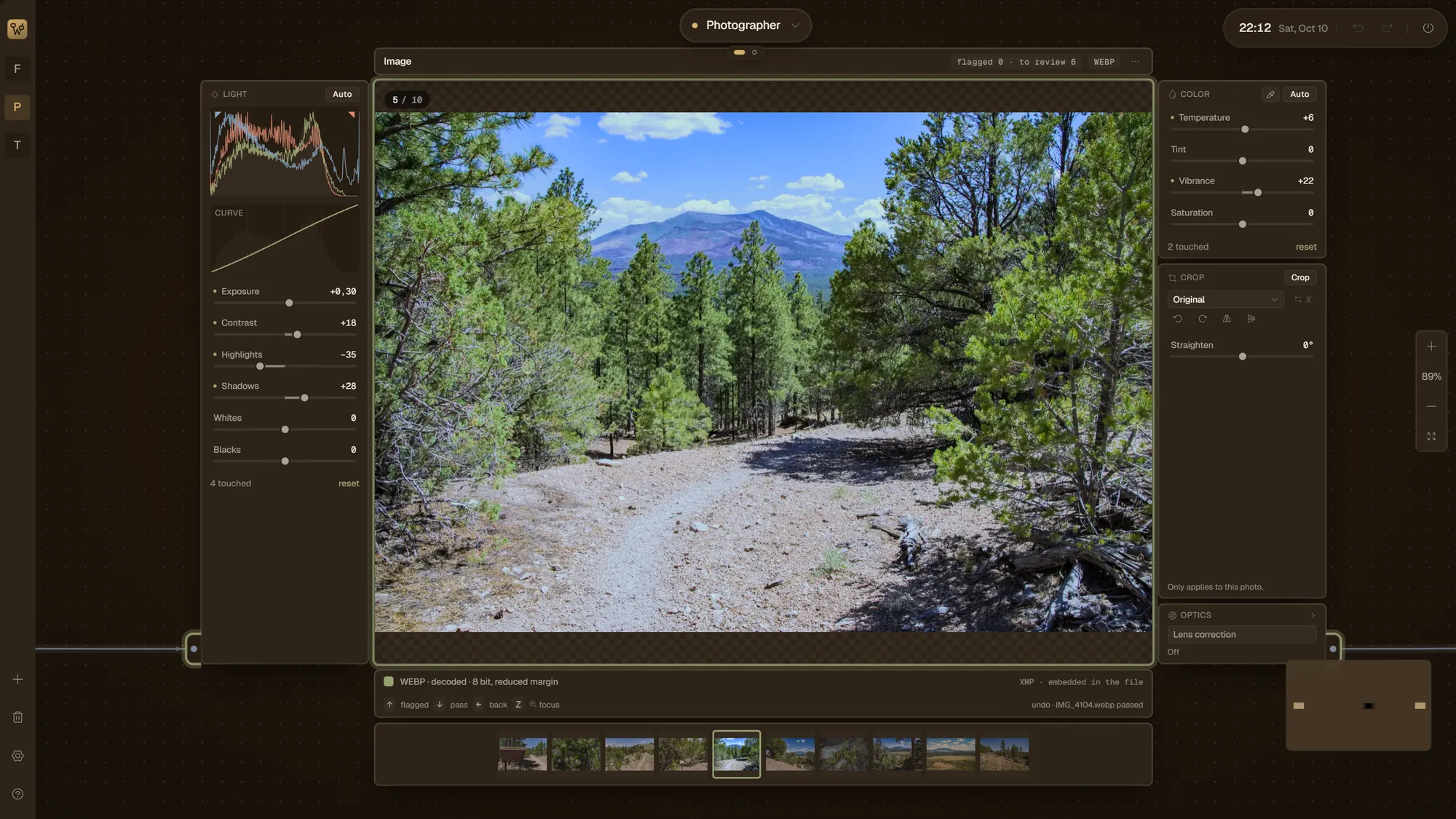
Import a shoot, review and pick the shots, and deliver the finished images to folders without leaving the canvas. Each photo is adjusted in place: exposure, contrast, color, curves, crop and straighten. It’s meant for quick work; for a full raw workflow you’ll still want a raw developer with a catalog.
07
Small tools on the desk
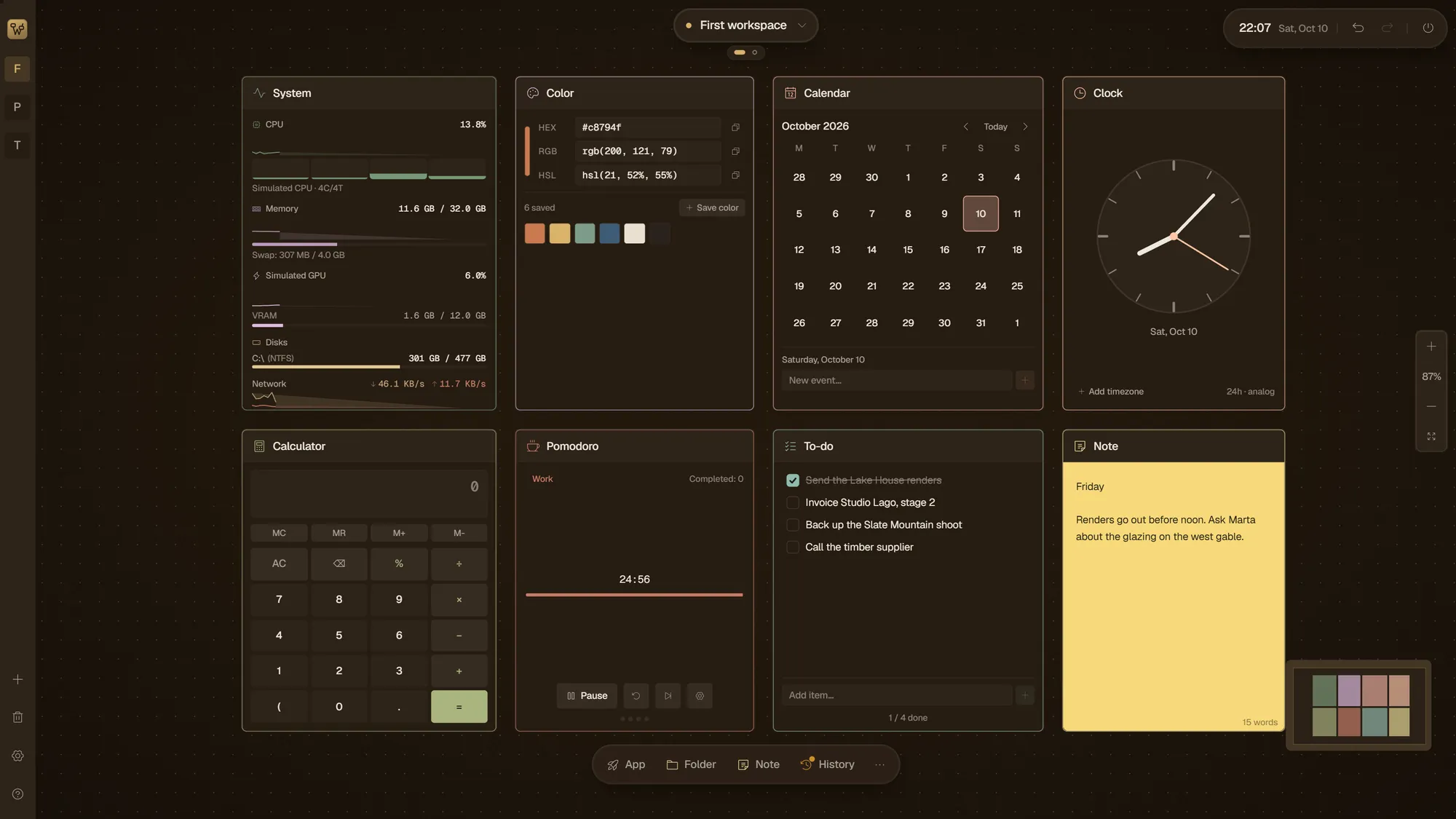
Next to your work sit the small tools that would otherwise be one more window: a system monitor, a calculator, a calendar, a Pomodoro timer, a time tracker, clipboard history and notes.
Find any file as you type
Alt+Space opens search from anywhere in Windows, and it’s instant: files show up as you type, from the folders you choose (your user folders to start, plus any drive you add, mapped network drives included), by name, by tags and by file metadata, and the results open straight onto the canvas. Photos can also be found by what they show: type “dog on the beach” and a model on your PC finds them, after reading each photo once. Search runs on your PC and works offline (the photo model is downloaded once); it does not read the text inside documents.
AI that stays on your computer
Images are tagged and described by an AI model that runs on your PC. Your files are not uploaded anywhere for this.
What makes it different
Your programs keep running
The applications you already use keep running as real windows on the canvas: click into one and keep working where you left off.
Your files stay on your PC
Search and the AI that tags your images run on your computer, offline. Your files aren’t uploaded anywhere for them.
Free now, pay once later
No subscription, ever. Warpstead is free while it’s in beta. When it’s mature, version 1.0 becomes a one-time license for two PCs at €79: from then on it takes steady work to keep it right, and the license pays for that. Register before then and you pay €49.
Free until version 1.0
Right now Warpstead is completely free, with no account and no card. The beta is in the Microsoft Store for Windows 10 and 11, and it stays free until version 1.0.
Get it free from the Microsoft Store
First 100 to register
Free
The first 100 people who register the beta from the app get their 1.0 license free, and so do the testers who help the most. Everyone else who registers before 1.0 pays €49 instead of €79, once. License terms